Apps for low voltage field work Every field app. One sign-in.
Primeness Deck is one app that opens Rack Survey, Cameras + Design, Service Calls, Time Clock and a CRM. Built by a low voltage contractor, for any low voltage company.
- Works offline
- Updates itself
- Stays signed in
- Phone, tablet, computer
Free to open. On Android: Chrome, then ⋮ and Install app. On iPhone: Safari, then Share and Add to Home Screen.
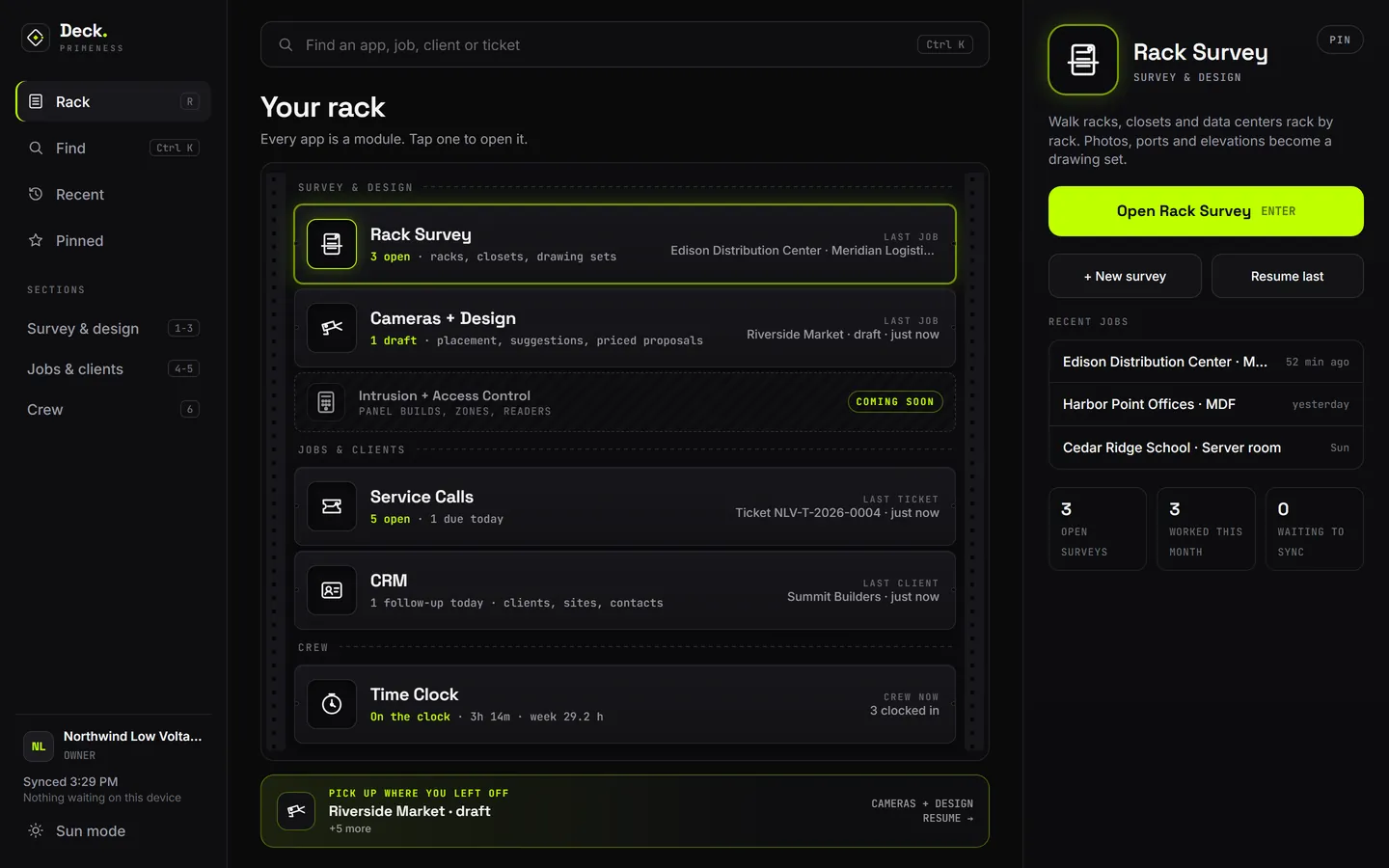
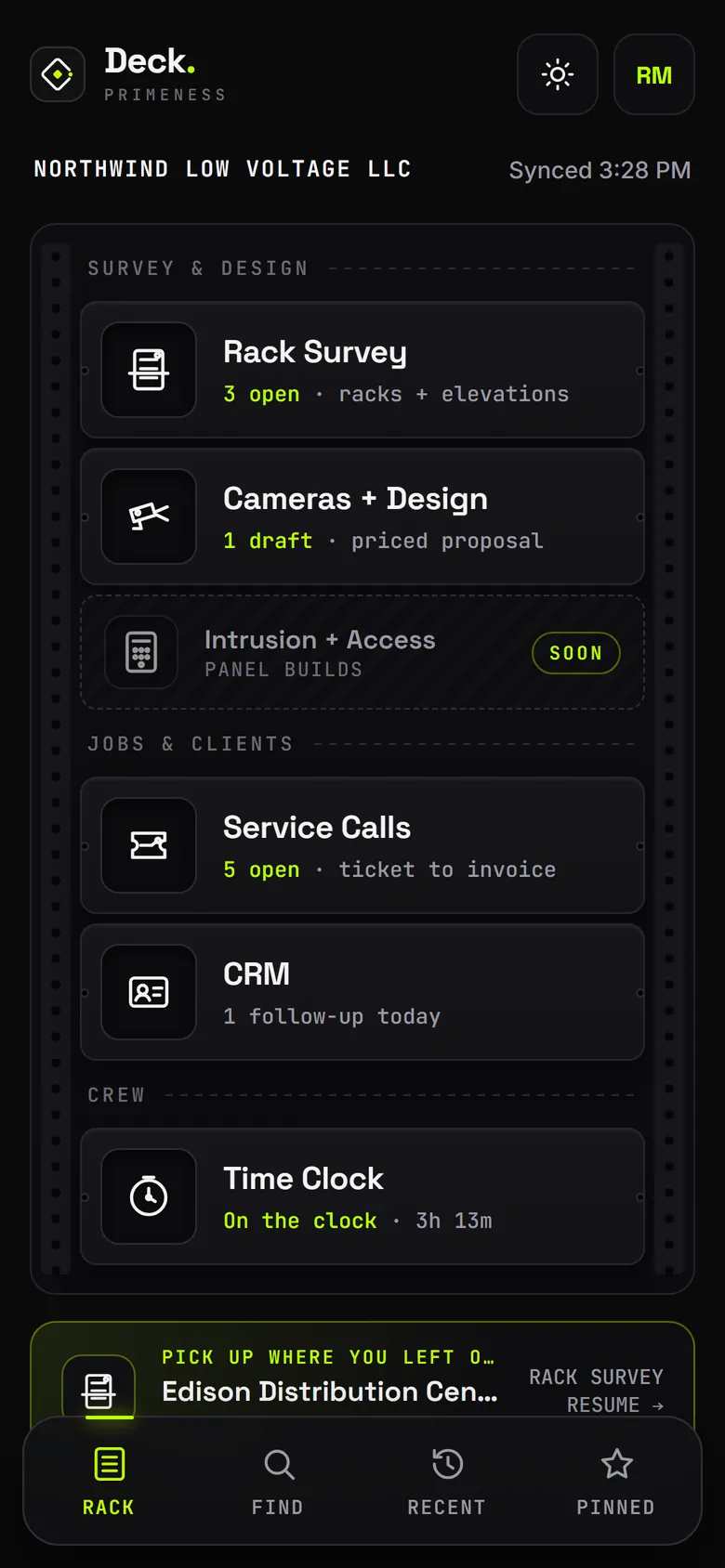
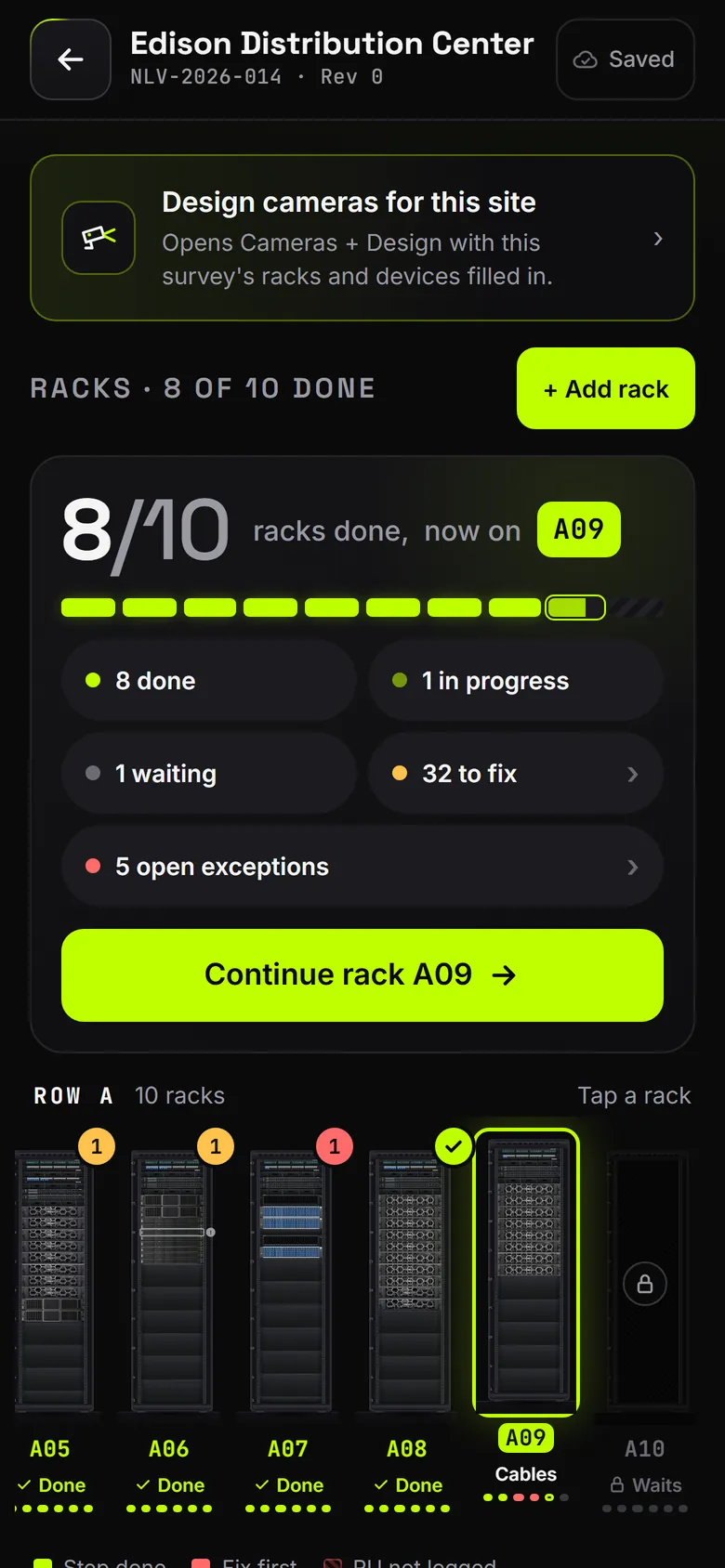
Real screens from the apps, shown with a made-up company.
Primeness Deck
One hub for every field app.
One app with every tool inside. Sign in once and open any of them in a tap. Deck shows what is open in each app, so the whole day is on one screen.
- One sign-in and one company profile for every app
- Pick up where you left off: your newest unfinished job waits at the bottom
- Find any app, job, client or ticket from one search
- Each app can also sit on your home screen as its own icon
Rack Survey
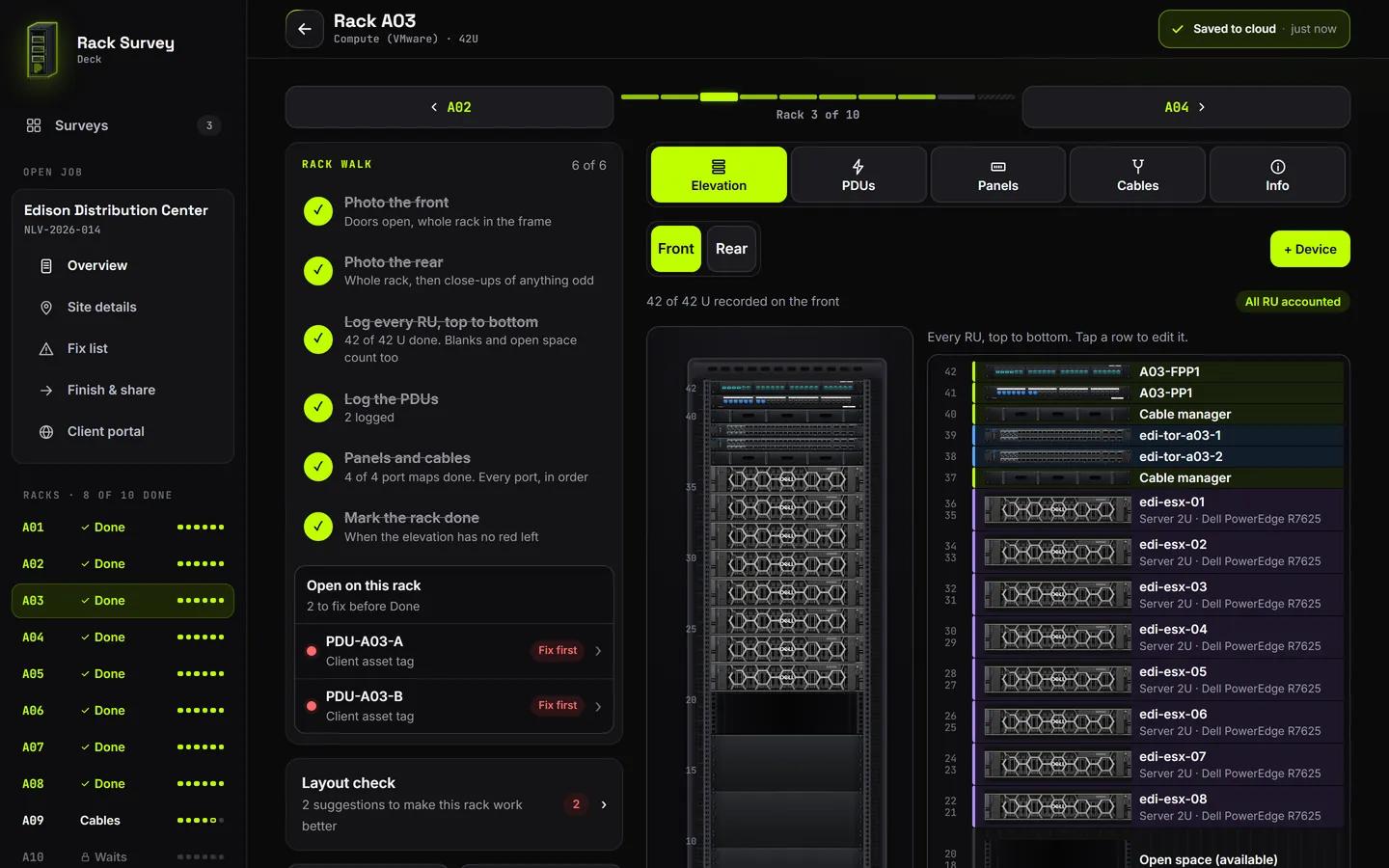
Data center rack surveys, rack by rack.
Walk racks, closets and data centers rack by rack. Photos, ports and elevations become a drawing set.
- Every U top to bottom, with real device pictures
- One tap makes the drawing set and workbook, with your logo
- A private client portal with the documents and rack views
Some features, like the client portal, are add-ons.
Cameras + Design
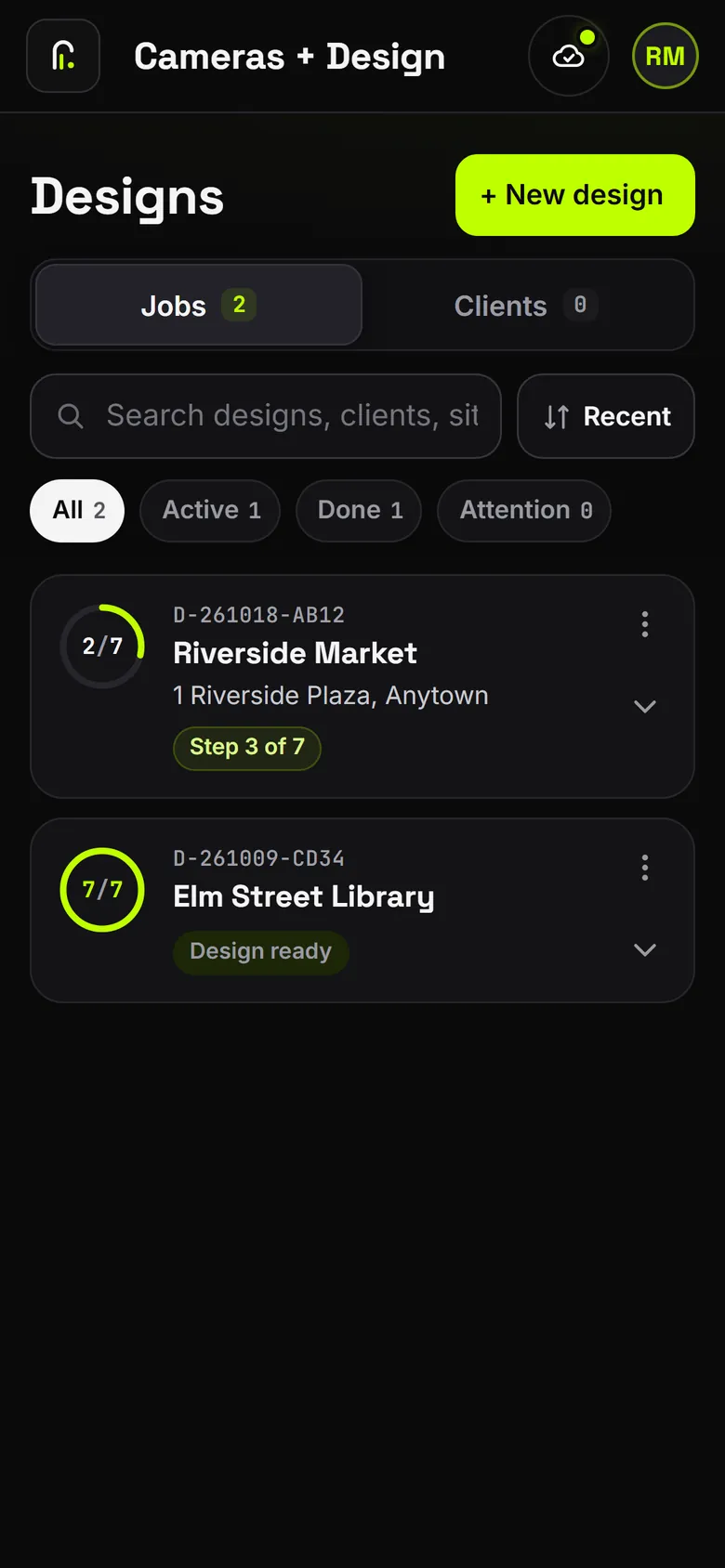
Camera layouts and priced proposals.
Place cameras on the plan, get coverage suggestions, and turn it into a priced proposal. Start one from a Rack Survey job and the racks and devices are already filled in.
- Complete system options from lowest cost to top tier, next to the budget
- Placement checks flag bad mounting spots, and install cards go to the crew
- Prices stay in their own proposal file, never on the scope or the drawings
Add-ons: a device check for gear covered by Section 889, and a Grant Pack for nonprofit security grant paperwork.
Intrusion + Access
Panel builds, zones and readers.
Service Calls
A field service app for low voltage techs.
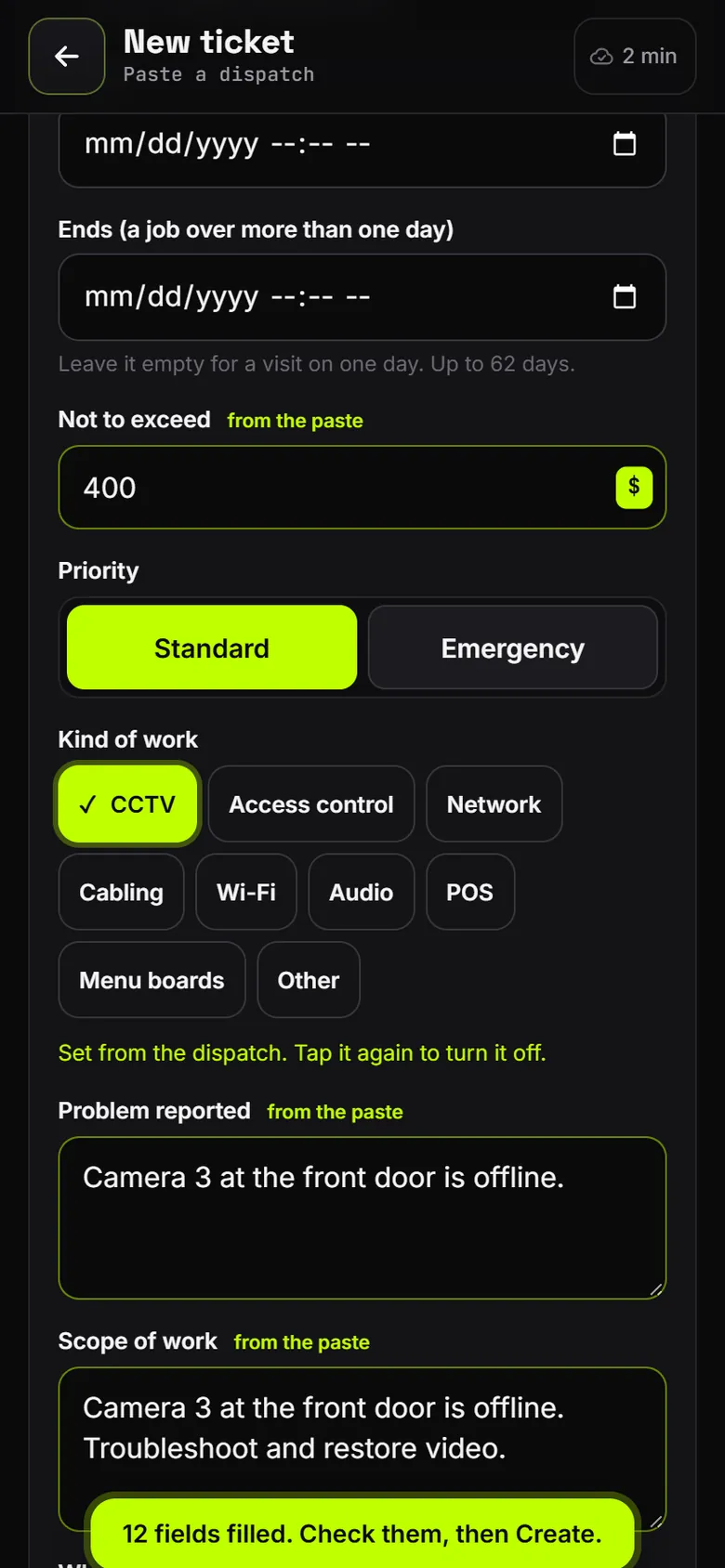
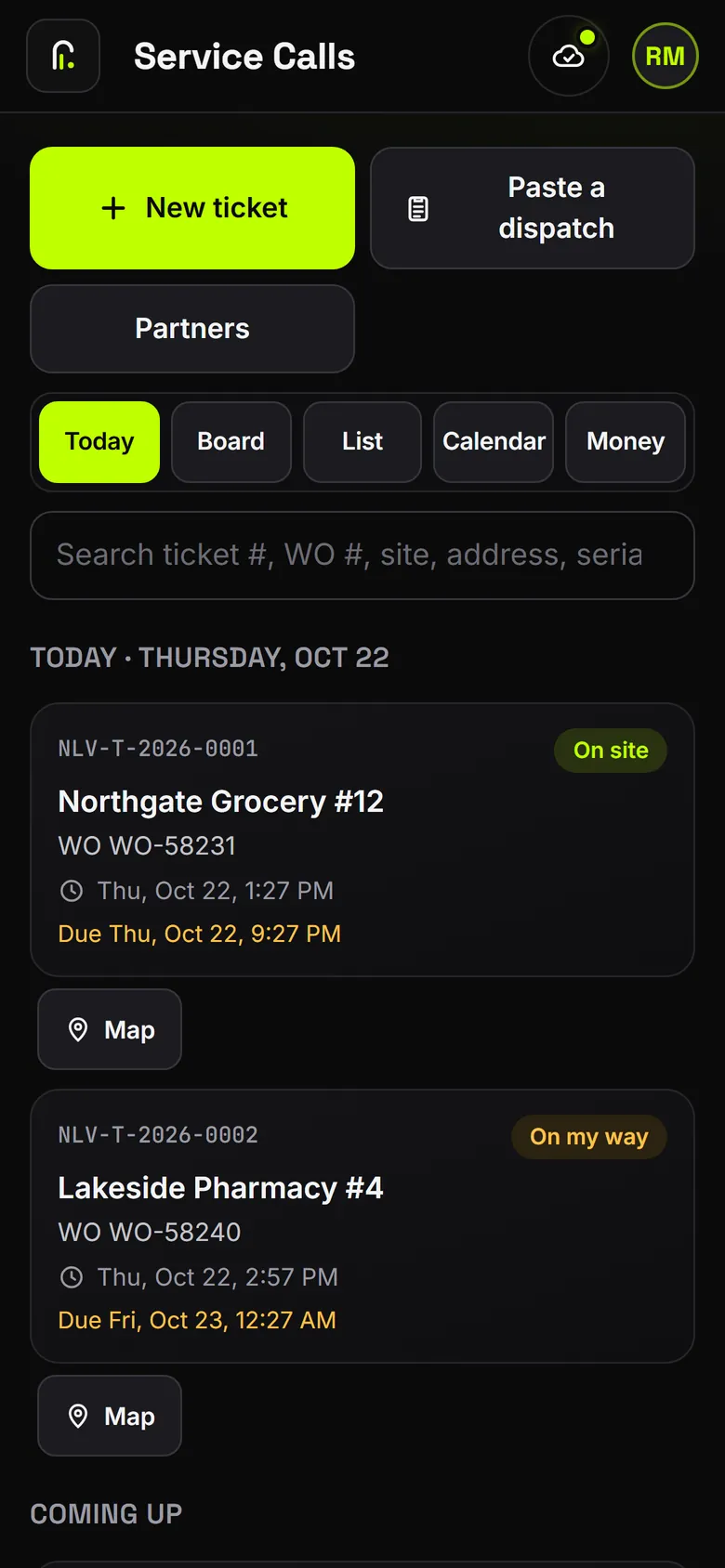
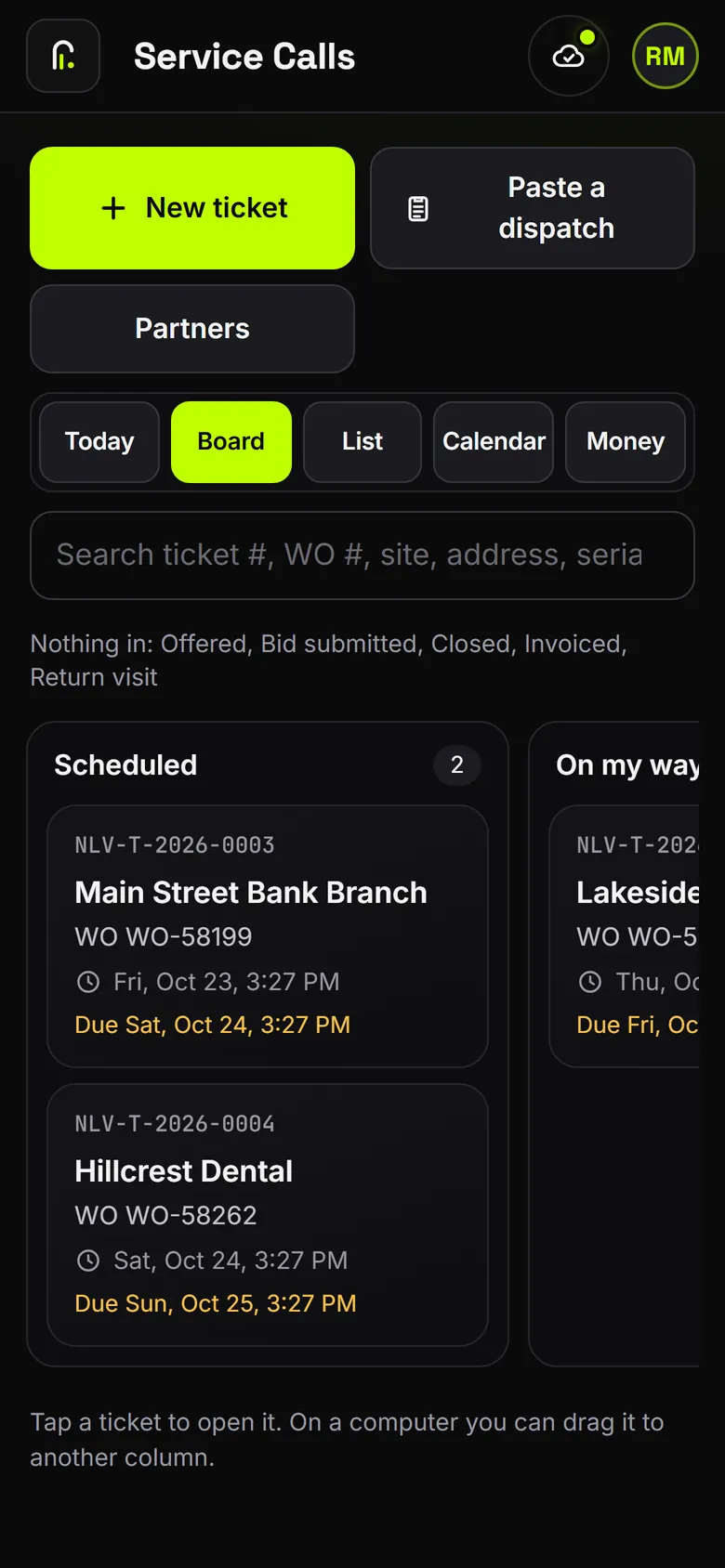
Tickets from first call to invoice. Paste the dispatch email and the ticket fills itself in.
- Paste a dispatch: site, phone, not-to-exceed and scope fill in
- Clock in on the ticket. A changed time needs a reason and stays in the history
- Rates per work order, a closeout checklist, and an invoice draft you approve
The app never sends an invoice for you. You approve it and send it your way.
CRM
Clients, bids and follow-ups.
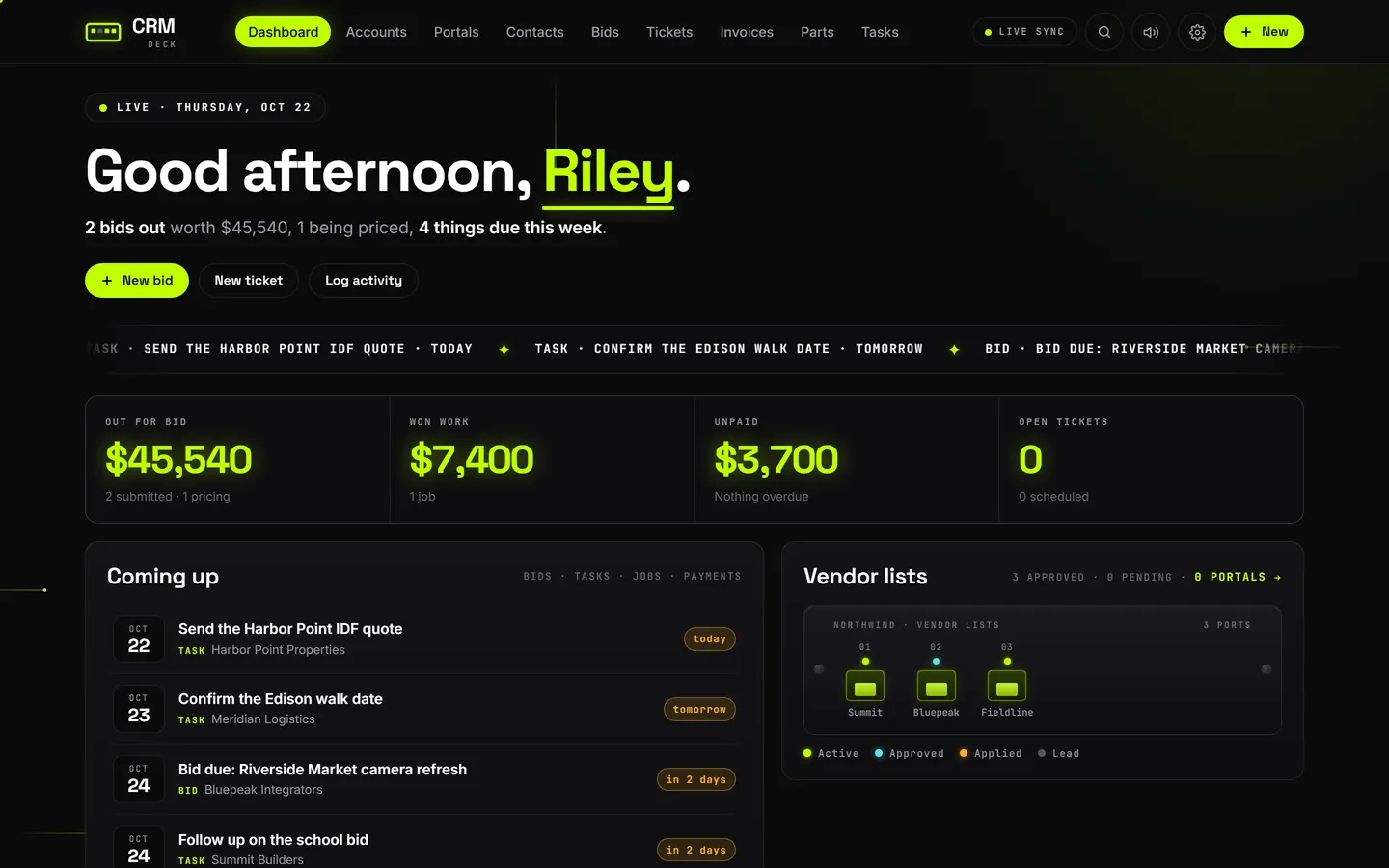
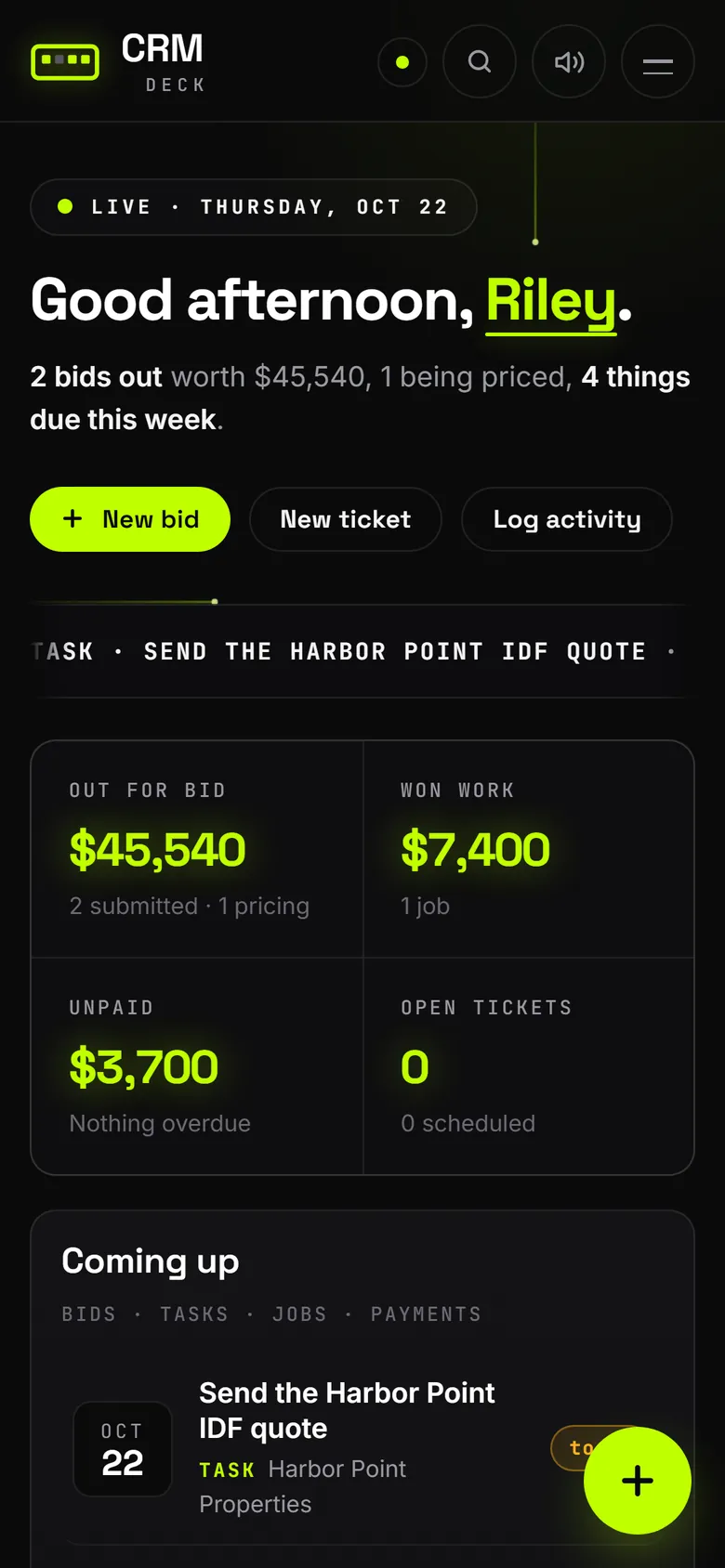
Clients, sites, contacts and follow-ups, shared by every app.
- Bids, tickets, invoices, parts and tasks in one place
- Vendor lists: the GCs, primes and networks you are approved with
- A morning view of what is due this week
Time Clock
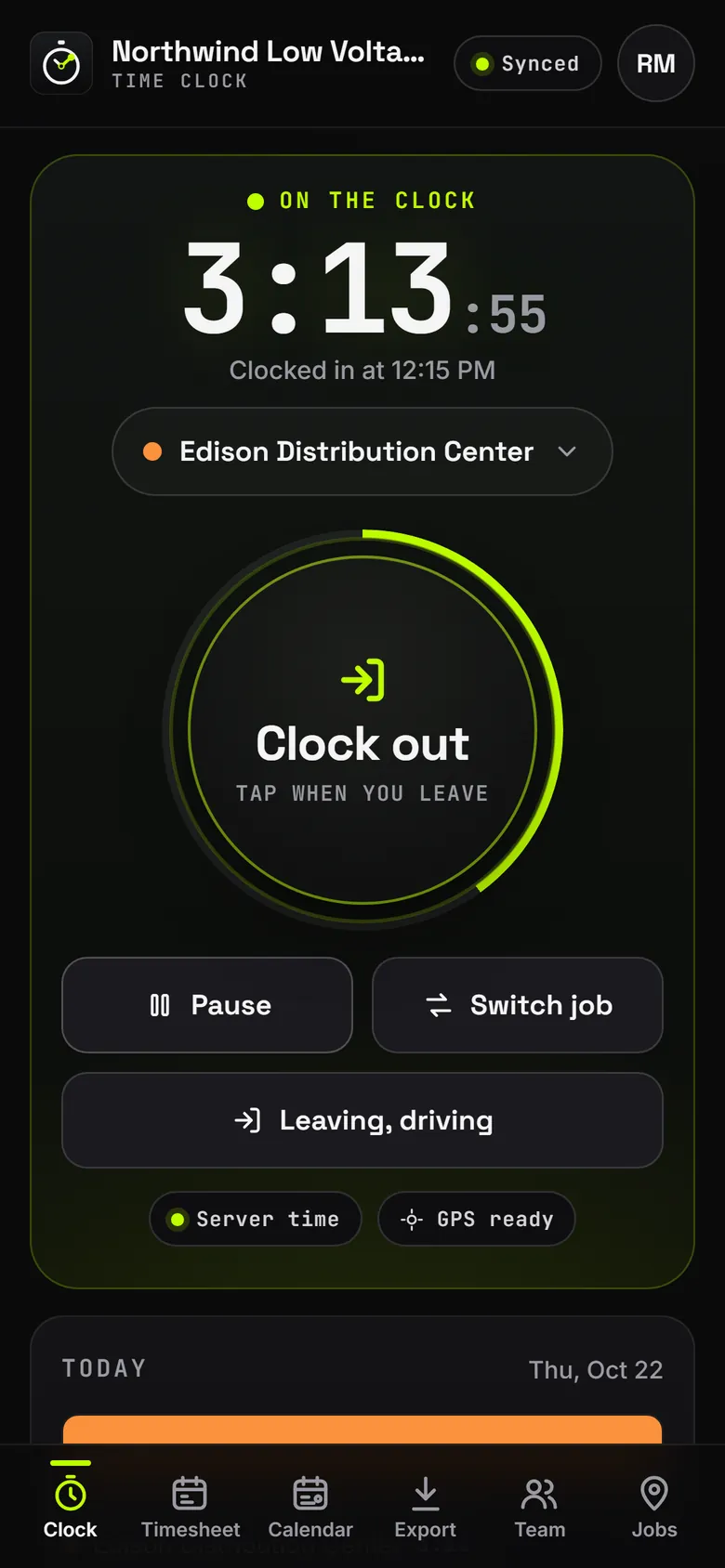
Job-based time tracking your crew can trust.
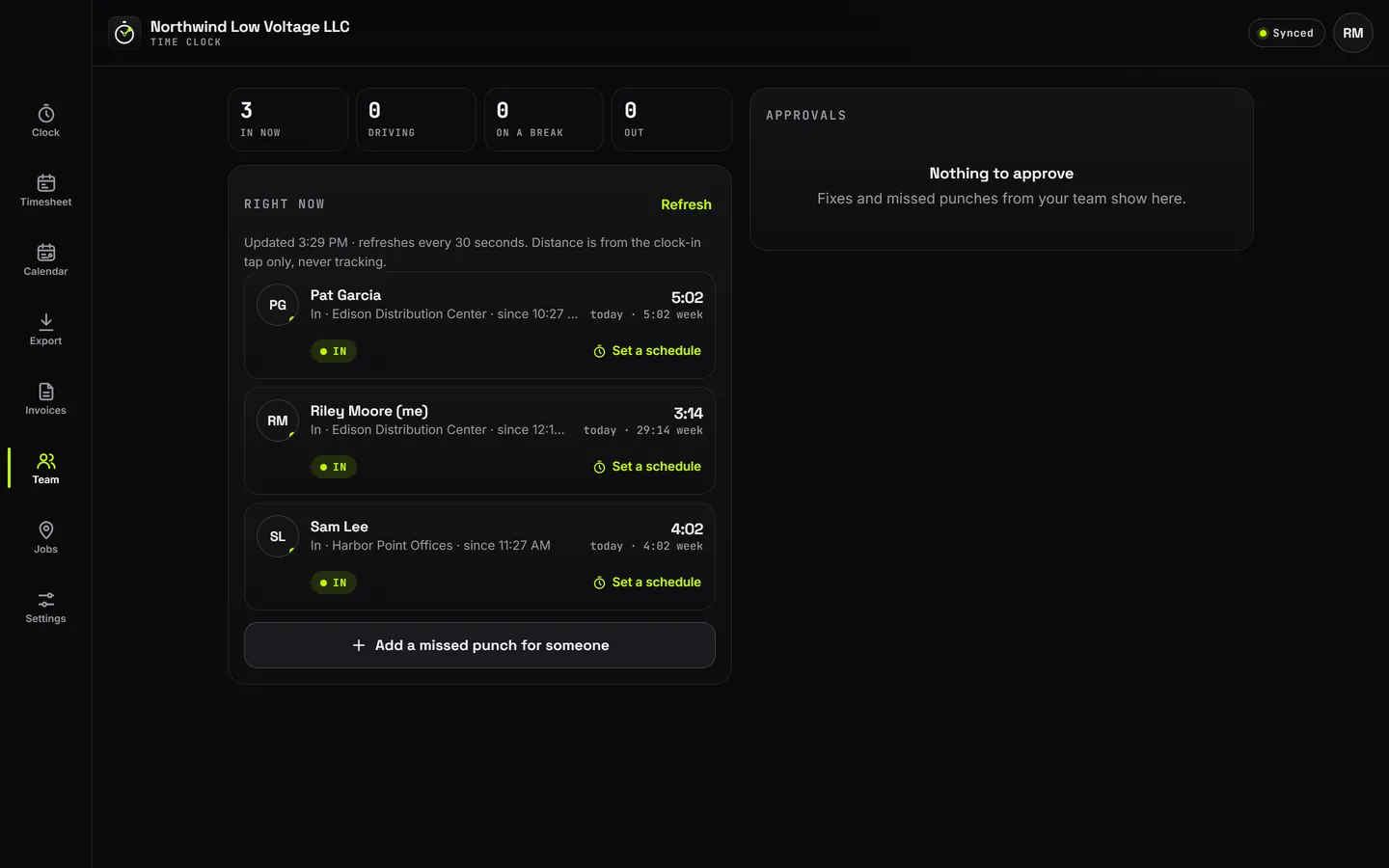
Clock in and out by job. The time comes from our server, not the phone.
- Location only at the clock taps and while you are clocked in with the app open. Never while clocked out, unless you turn on the clock-in reminder
- A fixed punch needs a reason and a manager's OK
- Week totals with regular and overtime hours, and timesheet exports
Built for the field
Made by a low voltage contractor, for any low voltage company.
Works with no signal
Basements, cages and dead zones. The work is kept on the phone and sent when signal is back.
Updates itself
No reinstall and no app store wait. Everyone is on the newest version.
Stays signed in
2-step sign-in with an authenticator, then your own phone stays signed in.
Your company, your clients
Your name and logo on everything. Built for any low voltage company.
FAQ
App questions.
Do I need signal?
No. The apps keep working with no signal and send your work as soon as the phone is back online. You need signal to sign in the first time.
Do I have to reinstall for updates?
No. The apps update themselves and keep you signed in. Everyone on the team is always on the newest version.
Is it only for Primeness?
No. Deck is built for any low voltage company: your company name, your logo, your clients and your rates. Each company's data is kept apart from every other company's.
Does it run on iPhone, Android and a computer?
Yes. It runs in the browser on a phone, tablet or computer, and installs like an app on iPhone, Android, Windows and Mac.
How much does it cost?
Ask for a demo and we'll walk you through the plans.
See it on your own job.
We will walk you through Deck with a made-up company, then set it up for yours.