
Field Survey
Rack by rack on your phone. Drawings in one tap.
The rack survey app built by a low voltage contractor, for the techs who walk data centers and IT rooms and hand over the drawings.
- Phone
- Tablet
- Desktop
- Browser or installed

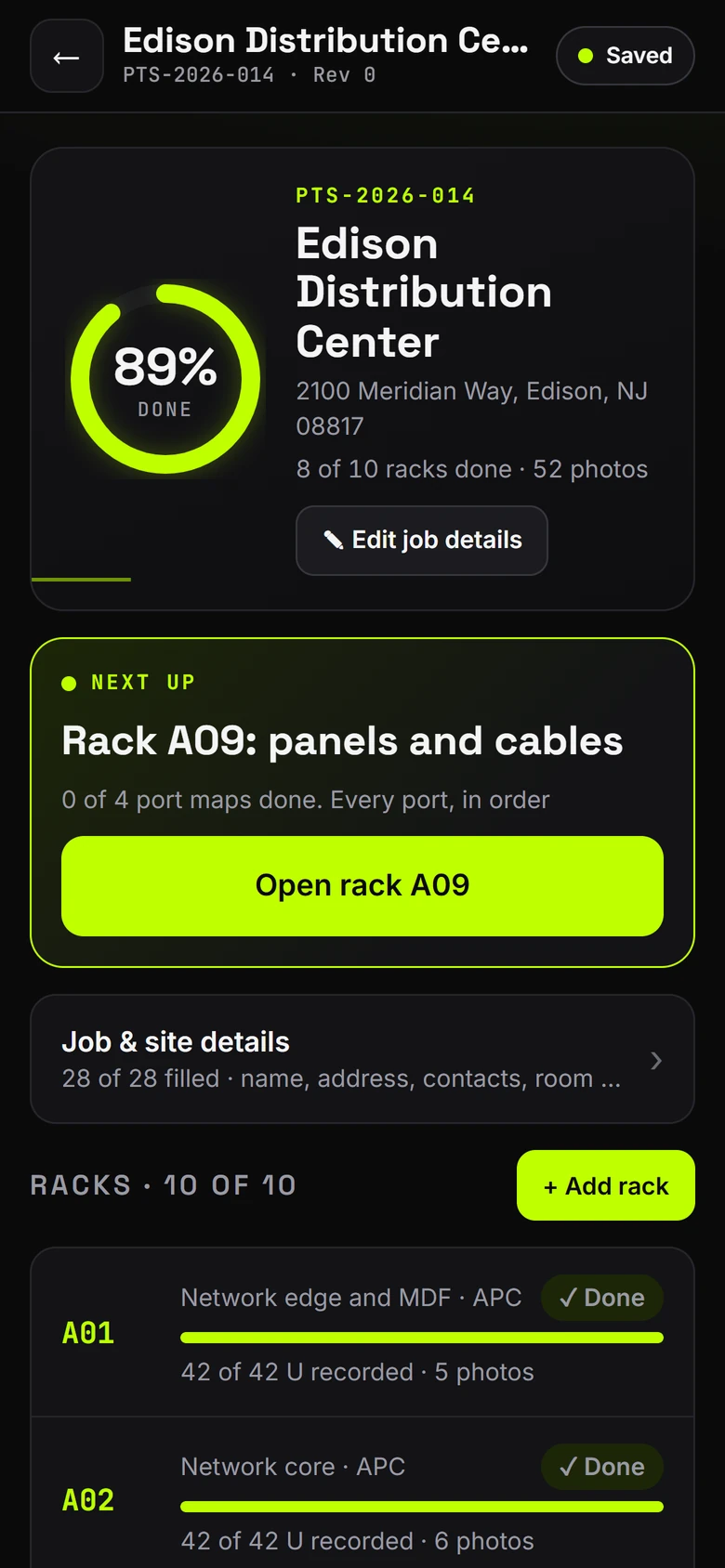
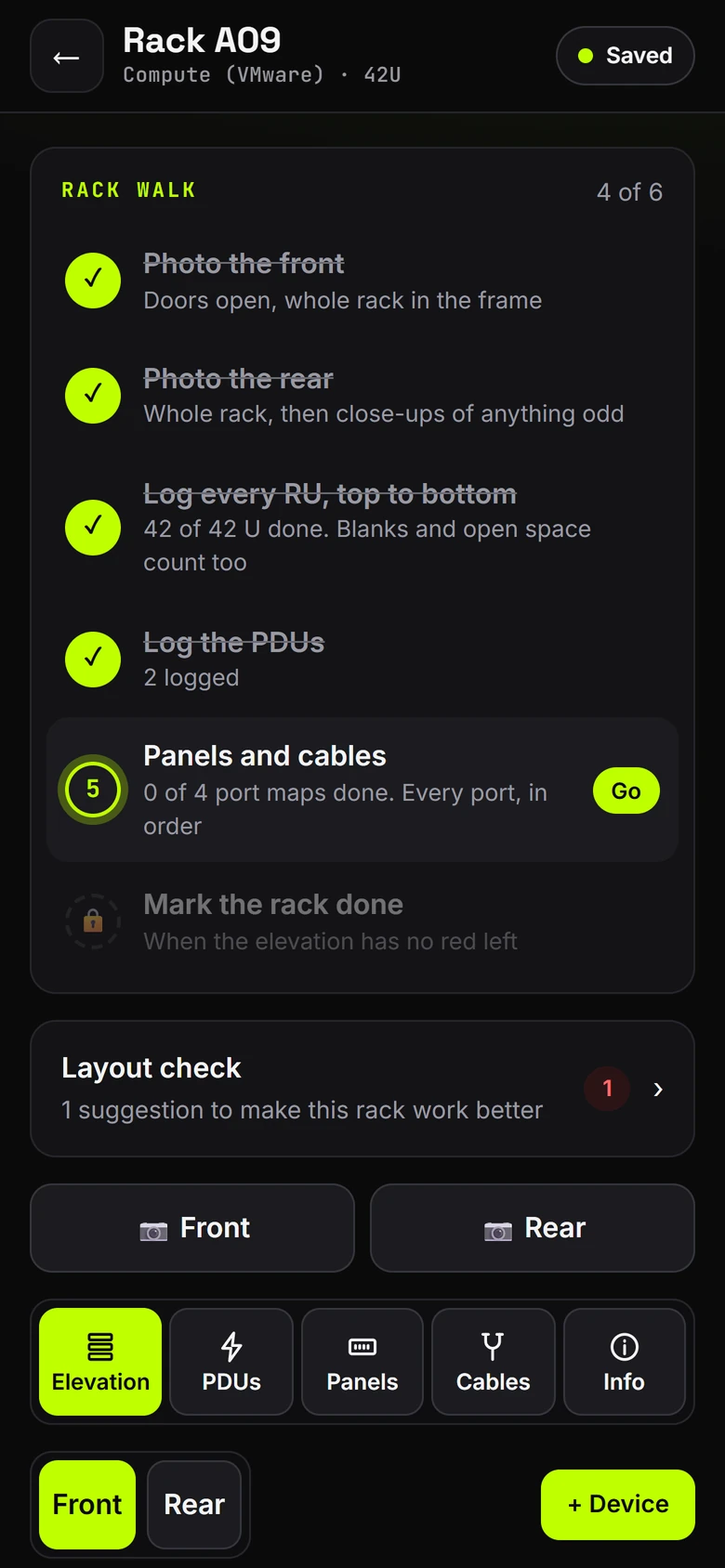
Real screens from the app, shown with a sample job.
- Saved to the cloudAs you go. No signal? It catches up.
- One tap drawing setBranded PDFs, ready to send
- No caps on a jobRacks, devices and photos
- Start the same dayNo setup call needed
How it works
Three steps. One trip.
From the first rack to the client's inbox, without retyping anything at night.
-
01
Survey
Walk the room rack by rack. Log every U top to bottom, the PDUs, panels, ports and cables, with photos. It all goes to the cloud as you work, and the app always shows the next step.
-
02
Make the drawing set
One tap builds the drawing set and the survey workbook. Recommendations and equipment cost are their own files, made only if you tick them.
-
03
Share with your client
The drawing set lands in your company's storage after every build. Send it by email too, or publish a private client portal with the documents and rack views.
See it work
From the rack to the client.


01 · On site
Every rack in the job, what's done and what's next.
8/10racks done
52photos
Saved on this phone and in the cloud
02 · Every U
Every U top to bottom, with the real device faces.
42 Urecorded on rack A04
Required on every rack
- Asset tag
- Rack orientation
- Row and position
- PDU serial
03 · Drawing set
One tap makes the set. Your logo on every sheet.
63sheets
What to include
- Drawing set: on
- Survey workbook: on
- Pricing: off.Own file
- Recommendations: off.Own file
04 · Client portal
Your client gets a private page with all of it.
10racks
126devices
198cables
18cable tests certified
The drawing set
Drawings your client can sign off on.
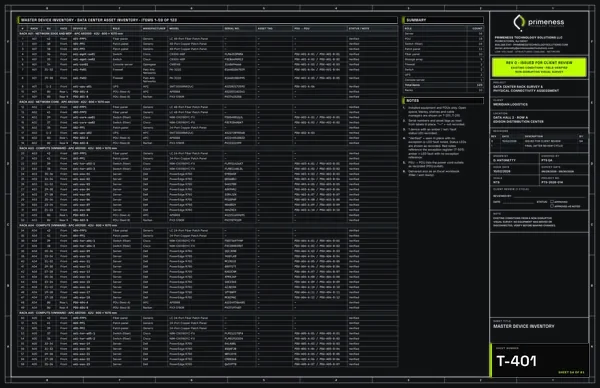
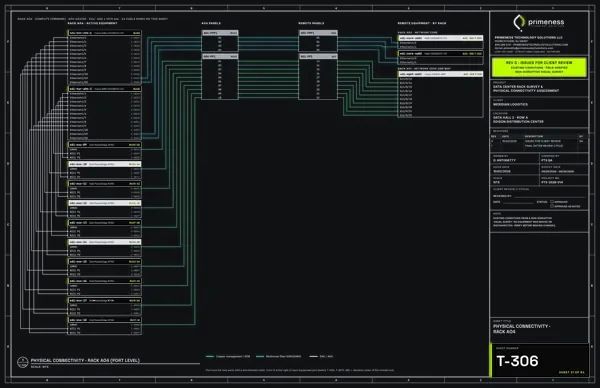
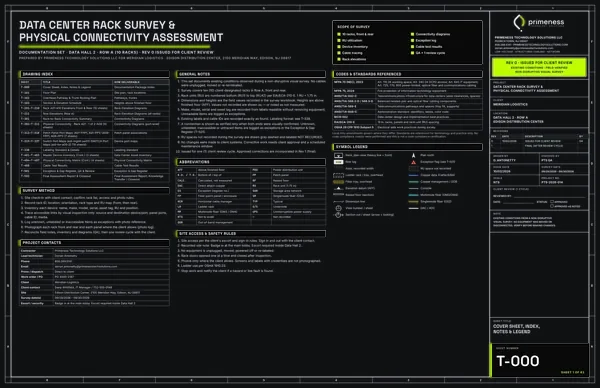
One survey, one tap: plans, elevations, port maps, inventory, test results and a closeout report. This set was made by the app from a sample job. The client, the site and every name in it are made up.
- 63sheets, numbered and titled
- 11drawn rack and row elevations
- 0photo-view rack elevations
- 26patch panel and switch port maps
- 11connectivity diagrams
- 7inventory and cable matrix sheets
- 3test, QA and closeout sheets18 cable tests certified

Pick a number or a ring. Each one plays out on the drawing. Arrow keys work too, Esc shows the whole sheet.Swipe the notes or tap a ring. Each one plays out on the sheet.
- Every U, front and rearAll 42 U drawn to scale, blanks and open space included.
- Real faces, hostnames and modelsEach device is drawn at its U with its label, make and model.
- Power on the rackA and B PDUs on the rear view, with the feed and the outlet each device uses.
- Device scheduleU, hostname, make, model, serial, asset tag and PDU outlets for every device.
- Power cord mapEvery cord from device to PDU outlet, as recorded.
- Your logo and detailsYour company name, logo and contact info on every sheet.
- Revisions and sign-offRevision, issue and survey dates, plus a client review box.
- Sheet number and titleNumbered like a real drawing set: T-204, sheet 8 of 63.
- Legend and RU useScale, key and RU utilization at a glance.
- Where the rack sitsRow, position and which way the front faces, right in the sheet header.
Up close: what each sheet shows.
Plus the floor plan, pathways, switch port maps and more: 63 sheets in all.
PDF, 63 sheets, 5.8 MB
Client portal
A private page your client actually opens.
Publish it from the app in one tap. Your client gets your logo, every rack, the test results and the drawing set on one private link. No sign-in for them and nothing to install.
The whole job at a glance: 10 racks, 198 cables and the cable tests, with each rack in the row.
Rack by rack, front and rear, with every device and its real front picture. The QR sticker on a rack opens that rack's page.
Every cable test, matched to its cable, with what the results mean.
The drawing set and the survey workbook, always the latest build.
New messageOpens in your client's own email app
Toservice@yourcompany.com
SubjectService request
- One tap to publishFrom Finish and share, on the phone or at the desk. You see a live preview first.
- Private linkNo sign-in for your client, and it is kept off search engines.
- Always the latestFix a note, tap Rebuild, and the portal updates with the PDFs.
- Your brand, not oursYour logo and details on every page, and your client's logo too.
What's in it
Everything a rack survey needs.
-
Rack elevations
Every U, top to bottom, with real device front images. Blanks and open space count too.
-
Panels and port maps
Patch panels, port maps, cables and labels, plus the PDUs and what plugs into them.
-
Photos and safety
Photos filed by rack, and a safety and essentials checklist for every rack.
-
Guided next step
The app walks you through each rack in order, so nothing gets missed on site.
-
One tap drawing set
Elevations, port maps, inventory and closeout as PDFs, plus the survey workbook. Recommendations and equipment cost only when you tick them.
-
Cable test import
Bring Fluke and LinkWare test results into the job, matched to the cables you logged.
-
Client portal
A private web page for your client with the finished documents and rack views.
-
Re-survey and reminders
Come back later, save the job as it was and see every change. Reminders for UPS batteries, warranties and firmware.
-
QR stickers and labels
Rack QR stickers on Avery 5163 sheets, plus cable labels ready to print.
-
Your storage, your pick
Included in every plan. Each company picks where its files go: email, Amazon S3, Wasabi, Backblaze, SFTP, FTP or your NAS. The drawing set lands there after every build. Google Drive and Dropbox are an add-on.
-
Built for crews
Company accounts with technician seats, and owner and admin roles to run the team.
-
Saved to the cloud
Every entry goes to our cloud as you work. In a dead zone the phone holds it and sends it the moment you're back in signal.
-
Primeness Cloud storage Coming soon
Add-on. We keep your jobs, photos and drawing sets in our cloud for as long as you have it. Using your own storage stays included and saves you money.
-
Measurements done right
Type the number, pick the unit: feet and inches, feet, inches, meters, cm or mm. Fractions and decimals work. The app shows exactly what it saved, and every page prints the same value.
-
Status lights in one tap
All green, amber or red, off, or not checked. Answer once for a whole rack. PDU load and UPS screen readings go straight onto the drawings.
-
What the client will read
Before anything goes out, see every note that will print in one list. Anything that looks like a price is held back until you move it, edit it or approve it.
-
Fix once, everything updates
Change a note or a number, tap Rebuild, and the PDFs, the Excel and the client portal all update together. Big jobs build in the background, so nothing times out.
-
Device pictures with no signal
Real front pictures of your gear come from the app itself, and a job's pictures are kept on the phone ahead of time. The rack still looks right in a dead zone.
-
Import switch data
Paste or upload what the switches print: CDP or LLDP neighbors, port status, NX-OS or Arista JSON, Junos, or a CSV. It pre-fills the port maps and cables, marked not traced until you check them on site.
-
Clients and sites
Keep each client with its sites and contacts, tap to call or email. A job for a client's customer shows both names, and the client's logo goes on the drawings and the portal.
-
A portal that looks the part
Publish from your phone or the desk. You see a live preview of the client's page first, then copy the link, update it or turn it off.
Some features, like the client portal, cable test import and Google Drive or Dropbox, are add-ons. So is Primeness Cloud storage, coming soon. See what each plan includes.
Get the app
On your phone in two minutes.
No app store needed. Field Survey installs straight from the web, works offline, and updates itself, so you always have the newest version.
-
Pick a plan
Monthly plans for one tech or a whole crew. See plans and pricing.
-
Open it on your phone and sign in
Open the install page on your phone, or scan the code from your computer. The first time, the app walks the owner through the company details, then shows you around.
-
Install it
It opens like a normal app from your home screen.
- AndroidIn Chrome, tap the menu (three dots), then Install app.
- iPhoneIn Safari, tap Share, then Add to Home Screen.
- ComputerIn Chrome or Edge, click the install icon in the address bar.
Why contractors switch
Made for the field, not the office.
-
Nothing lost in a dead zone
Your work goes to our cloud as you go. No signal in the basement? The phone holds every entry and sends it when you're back in signal.
-
One tap drawing set
No copying the survey into a template at night. Tap once and the PDFs are made.
-
No caps on a job
No limit on racks, devices or photos per job. Survey one closet or a full data hall.
-
Your logo on every plan
Your logo and company details go on every drawing. Branding isn't held back for a top tier.
-
The client portal stays up
No link that dies after a week. It stays live while you keep it on. If one sits unused for months, we warn you a month before it closes.
-
Start the same day
Pick a plan, add your logo and open a job. No setup call and no training course.
Your files
Saved to the cloud. Sent where you want.
Your work goes to our cloud as you go. The drawing set goes to your company's storage after every build. Nothing is deleted without a warning.
Saved as you go, signal or not.
Every rack, device and photo goes to our cloud the moment you log it. In a dead zone the phone holds each entry and sends it on its own when you're back in signal. You never press save.
One job on every screen.
A change on one phone shows on the tablet and the computer within seconds, so the whole crew works the same job. We also keep a safety copy of each job's latest drawing set for 30 days.
Your storage, included.
Each company picks where its files go. After every build the drawing set, the workbook and a job backup land there on their own. Using your own storage is included in every plan and saves you money.
Keep it all with Primeness Cloud storage.Coming soon
Included: a finished job stays in our cloud for 30 days, then it is deleted, and the app warns you first. With the add-on we keep your jobs, photos and drawing sets for as long as you have it.
Download everything, photos too, at any time. Each company's data is kept apart from every other company's.
Security and your data
Locked down. Still yours.
Sign-in that keeps people out
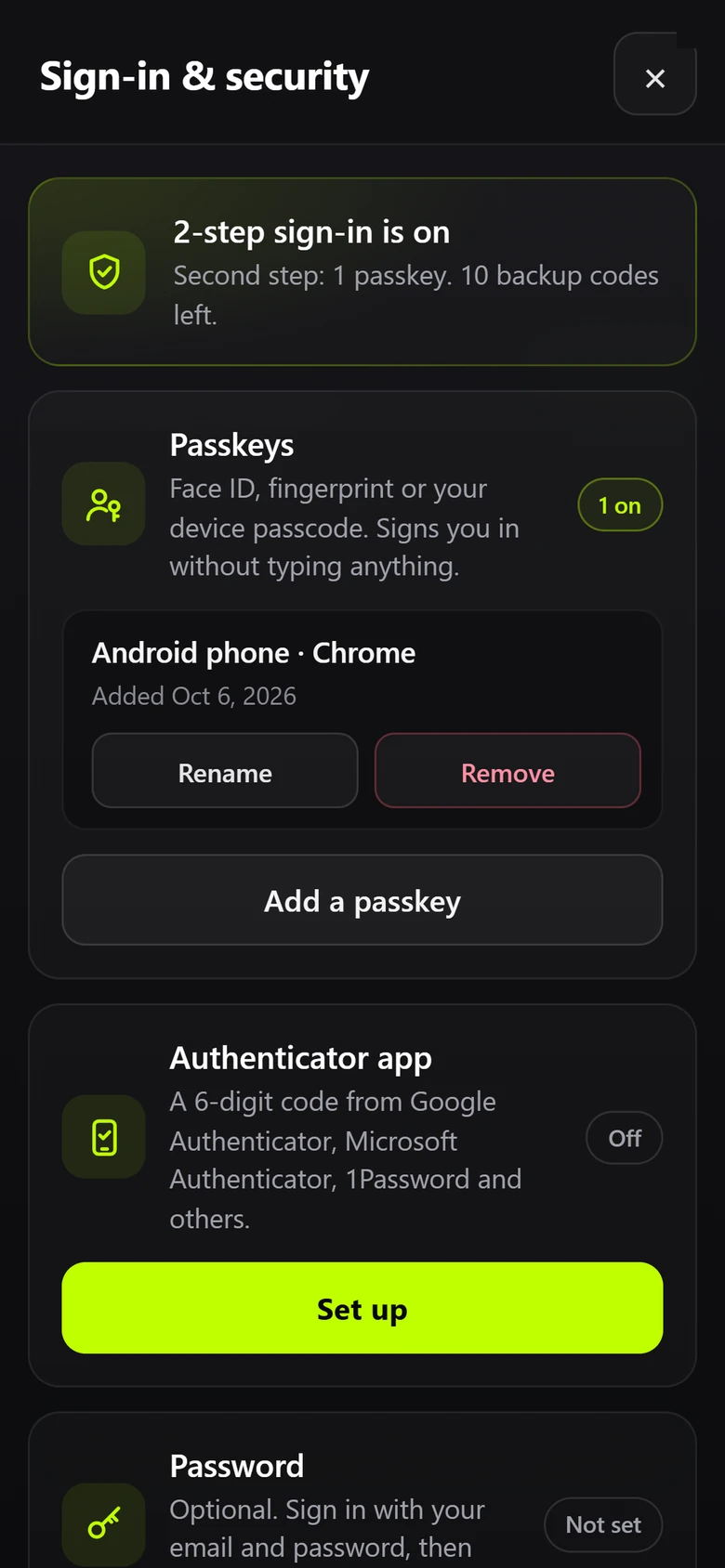
- Sign in with an email code or a password on any phone or computer.
- 2-step with an authenticator app (Google or Microsoft) is required for everyone on the account.
- Lost phone? The account owner resets it in a minute. Passkeys and backup codes are there if you want them.
- Trusted devices, so your own phone isn't asking all day.
Your files, your choice
- While you work, the job and its photos go to our cloud as you go. If a phone breaks, the work it sent is safe.
- After each build, the drawing set goes to the storage your company picks. That's included.
- We keep a safety copy of each job's latest drawing set for 30 days. A finished job is deleted 30 days after you finish it, and the app warns you first.
- Download everything, photos too, at any time.
- Each company's data is kept apart from every other company's.
- Want us to keep it all? Primeness Cloud storage, coming soon as an add-on.
Works everywhere
On site, in the truck, at the desk.
One account on your phone, tablet and computer. Every change syncs, so the whole crew works the same job.
On siteRack A09: 42 of 42 U logged, PDUs done.Saved on the phone and in the cloud as you go.
In the truckThe whole job at a glance: 89% done.8 of 10 racks done, 52 photos, A09 next.
At the deskSame job on the computer.Check any rack, then Finish and share builds the drawing set.
In the browser
Nothing to download. Sign in on any computer and pick up the job.
As a phone app
Install it on iPhone or Android from the sign-in page. It opens full screen from your home screen.
As a desktop app
Install it from Chrome or Edge and it runs in its own window, like any program.
Built by a field tech
We survey racks for a living.
Primeness is a low voltage contractor in New Jersey, working across the state and nationwide. We built Field Survey for our own rack surveys: the screens a tech needs on site, and the drawings a client expects at the end.
Need the survey done for you instead? We do data center rack surveys too.
FAQ
Straight answers.
Do I need signal?
No. Your work goes to our cloud as you go. In a basement, a cage or a dead zone the phone holds every entry and sends it on its own the moment you have signal again. The device pictures for your job stay on the phone, so they show with no signal too. You need signal to sign in the first time and to make the drawing set.
Where are my files?
In our cloud, from the first tap. Every change reaches our server within seconds when you have signal, photos too, so your whole crew sees the same job. After each build, the drawing set goes to the storage your company picks: email, Amazon S3, Wasabi, Backblaze, SFTP, FTP or your NAS. That is included and saves you money. Google Drive and Dropbox are an add-on. We also keep a safety copy of each job's latest drawing set for 30 days. A finished job is deleted from our cloud 30 days after you finish it, and an unfinished one 60 days after its last change. The app warns you first, and you can download everything, photos too, at any time. Want us to keep it all longer? Primeness Cloud storage is coming soon as an add-on.
Can my techs use it?
Yes. A company account has technician seats. Owners and admins run the team, and every tech signs in with their own account and 2-step sign-in.
Can I cancel?
Yes. Plans are monthly and you can cancel any time. Your data is yours. After your plan ends, everything works for 7 more days. Then it's read only for 30 days so you can save what you need. Then we delete it.
Does it work on iPhone, Android and my computer?
Yes. It runs in the browser on a phone, tablet or computer. You can also install it so it opens like a normal app. The steps are under Get the app on this page.

Take it on your next survey.
Monthly plans for one tech or a whole crew. Cancel any time.